
One list, every channel
Instagram and Messenger DMs, WhatsApp threads, plus comments and mentions from Facebook, Instagram, LinkedIn, YouTube and Threads. One list, one client at a time.
Features
One inbox for Instagram, Messenger and WhatsApp. One draft for eight platforms. Automations you draw, editors that open in the browser, and numbers already loaded when you get there. Six areas of the product, and you can use all six below.
Basic is free with no card. Growth is AED 49 a month.
Who you are
One brand or thirty clients, it is the same app. Flip this and every demo below switches with it, the way the client switcher does inside Ignis.
One voice, three platforms, every message in one list.
01Inbox
Instagram and Messenger DMs, WhatsApp threads, comments and mentions, all in one list for one client. Open a thread below and type a reply. Reply windows really do close, and the banner shows you how long you have left.
Instagram and Messenger DMs, WhatsApp threads, plus comments and mentions from Facebook, Instagram, LinkedIn, YouTube and Threads. One list, one client at a time.
Every platform closes the window to reply, on its own schedule. Ignis shows the time you have left on each conversation and tells you when a reply can no longer be sent, so you never write one that bounces.
Limit: Once a window closes the thread goes read-only, and the reply box says why.
Put a name on a conversation, tag it the way your team already talks about it, and close it. The list shows who is handling what without a second tool.
Handle, platform, whether they follow the account, when you first heard from them, and their tags, in the panel beside the message rather than three clicks away.
A suggested reply drops into the box, labelled as a draft, and you edit it or bin it. AI runs on a monthly credit budget, so it cannot quietly become your biggest bill.
Limit: Nothing sends itself. There is no setting that lets an AI reply go out unread.
Basic shows you every DM, comment and mention across your connected accounts. Replying from Ignis starts on Growth.
Limit: Read on Basic, reply on Growth.
02Planner
Write the caption once, tick where it goes, and change it on the one platform that needs something different. Ignis checks each platform’s real limits before anything is queued, and schedules in your client’s timezone rather than yours.
Publishing covers all eight. Messages and comments do not, because not every platform offers them. Here is exactly which does what.
| Platform | PublishScheduled and published from the planner | DMsDirect messages land in the unified inbox | Comments & mentionsPublic replies land in the unified inbox |
|---|---|---|---|
| Yes | Yes | Yes | |
| FacebookDMs via Messenger | Yes | Yes | Yes |
| WhatsAppThreads, no comments | Yes | Yes | Not supported |
| Yes | Not supported | Yes | |
| YouTube | Yes | Not supported | Yes |
| Threads | Yes | Not supported | Yes |
| TikTok | Yes | Not supported | Not supported |
| Yes | Not supported | Not supported |
Instagram, Facebook, TikTok, LinkedIn, YouTube, Threads, Reddit and WhatsApp. Pick the targets, write once, publish once.
The caption that works on LinkedIn is not the one that works on TikTok. Write the shared version, then override the copy, the media or the first comment on any single target.
A Reddit title stops at 300 characters. A Threads post stops at 500. Ignis checks the length, the aspect ratio, the duration and the number of files against each platform’s own rules before anything is queued. Every platform then publishes on its own, so one failure never holds up the rest.
A café in Dubai and an atelier in Paris do not share a 7pm. The planner schedules in the client’s timezone and shows you which one you are working in.
A month view with unscheduled drafts alongside it. Drag a draft onto a day to schedule it. Posts waiting on a client show as awaiting approval, not as scheduled.
Suggested posting times come from that account’s own engagement history, not from a generic chart of when the internet is awake.
03Automations
Trigger, condition, action, drawn on a canvas. Run the flow below and flip the condition: it takes the other branch, and a different reply goes out. Write the rule once and it works while you are asleep.
Draw the flow instead of describing it. Something happens, a condition splits it into a yes and a no, and each side does something. Delays and further branches nest inside.
Only their first message. Only if they follow you. Contains any of these words. Outside business hours. The common ones are a couple of clicks, not an afternoon.
Ignis checks the flow as you draw it and says when it is complete enough to switch on. A half-finished automation cannot go live by accident.
Automations watch every channel the inbox does, so one keyword rule covers a comment on a reel and a DM about the same thing.
The free plan has no automations. Inside the product the menu item is still there, badged with the plan it needs, so you can see what you would be turning on.
Limit: No automations on Basic. Not a reduced set: none.
04Editors and AI writer
An image editor with layers, text, gradients and brand kits, and a multi-track video editor. Both are in beta. Try a reframe preset below: one design, resized for everywhere it has to go, in a single step you can undo.
 Beta
BetaLayers, text, gradients, brand kits and export presets, in the tab you are already in. Nothing to install, nothing to round-trip through another app.
Reframe resizes the canvas and rescales the artwork in a single step you can undo. Square post, story, link image, thumbnail, all from the same layout.
The file that goes out is the design you approved. Nothing is redrawn or re-squeezed on the way to the platform.
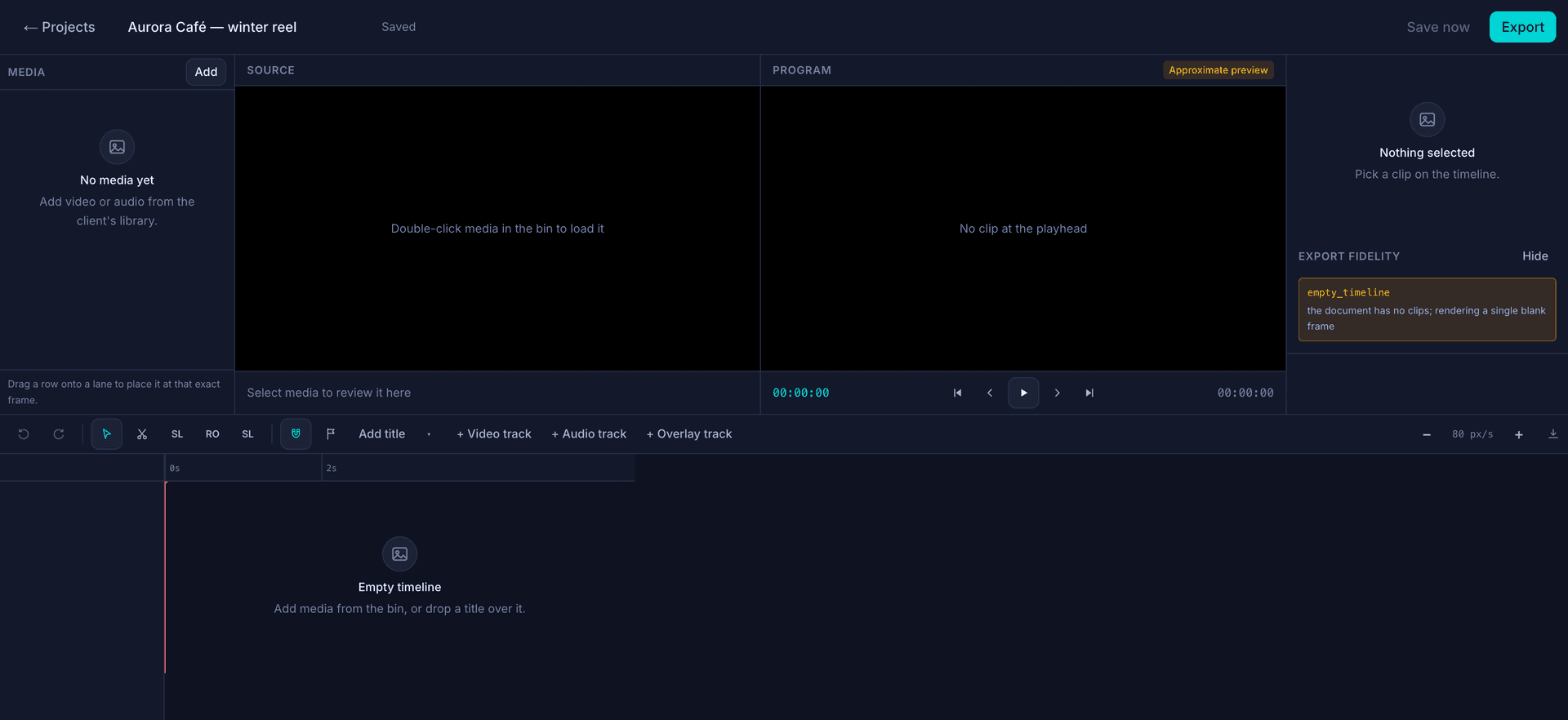
Video, audio and overlay tracks on a real timeline, with titles, trimming and an export sized for each platform. The clips come from that client’s own library.
Limit: The preview is labelled “Approximate preview”, and a panel under it lists every place the finished file will differ from what you are watching.
A first draft in seconds, in the tab you are already in. AI runs on a monthly credit budget, so it cannot quietly become your biggest bill, and everything it writes lands in front of a person first.
05Analytics
Followers, reach, views and engagement, for one client or for every account you can see. Each number carries its change against the period before, and the time it was collected. It is all loaded by the time you open the page.
Followers, reach, views and engagement for one client, or for the whole roster at once, over the period you pick.
Every number carries its change against the last period, in both directions, so you can tell a slow week from a good one without opening a spreadsheet.
Which client earned the engagement and which platform it came from. Two questions you answer every month, on one screen.
The numbers export to CSV or XLSX, so the monthly client report is a download rather than an afternoon.
The figures are already there when you open the page, and each one carries its own timestamp, so you know whether you are looking at this morning or last night.
06Clients, library, permissions
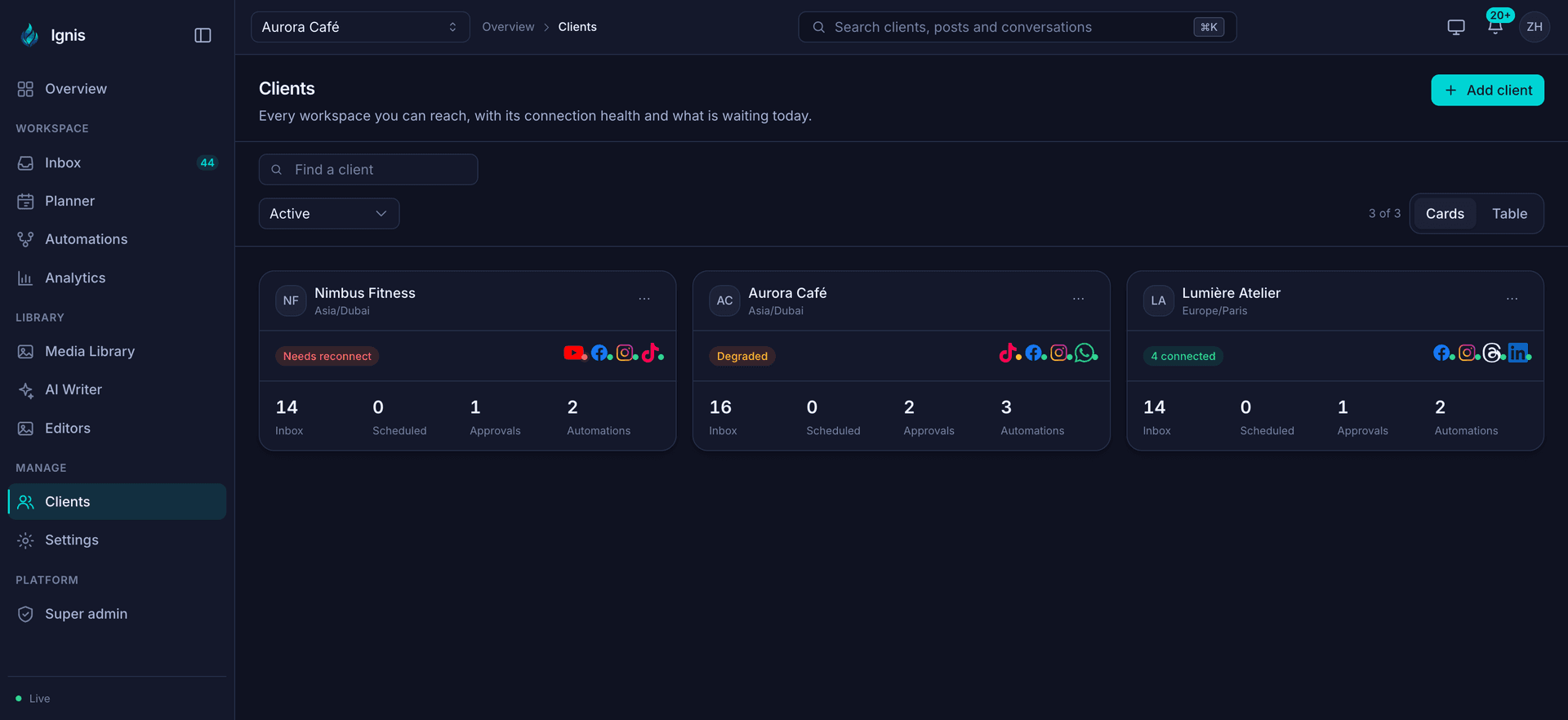
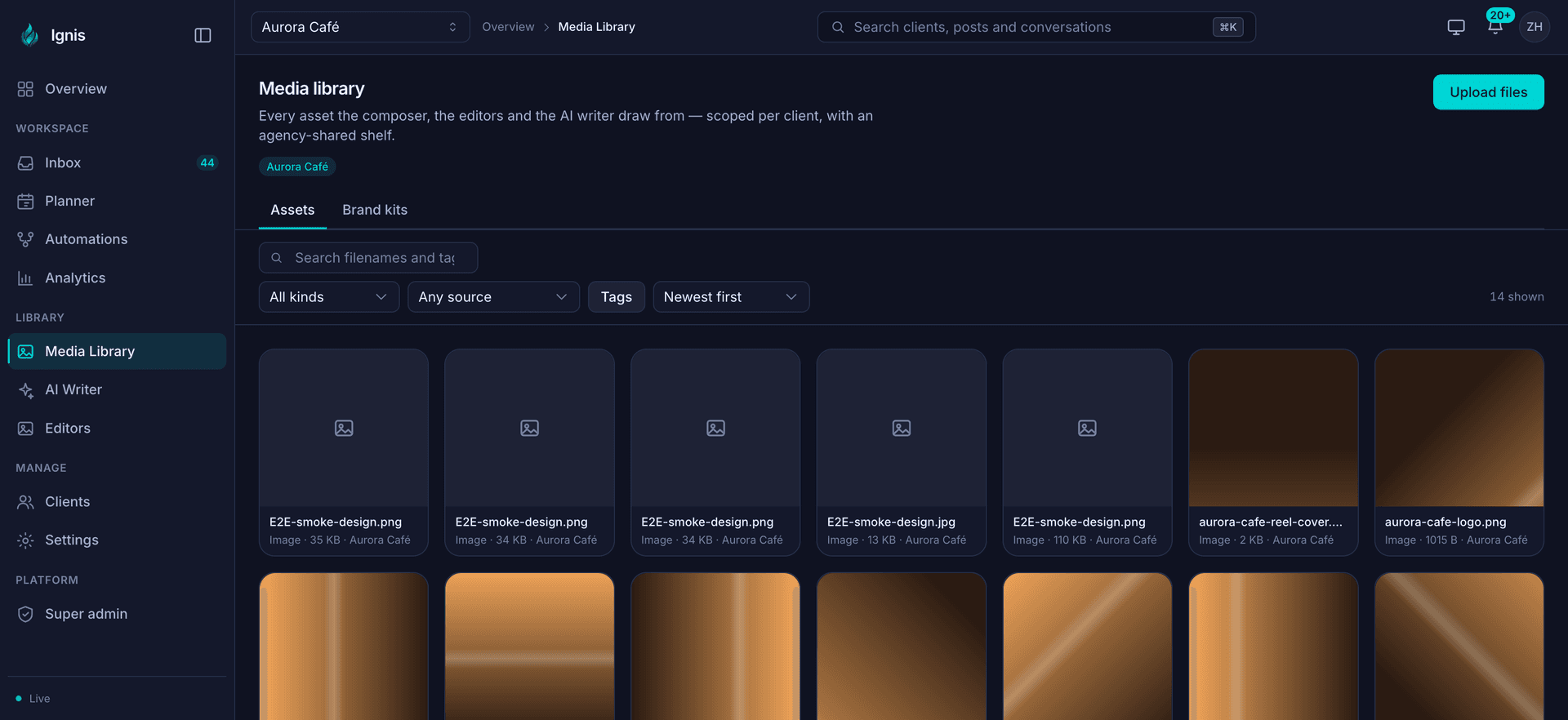
Every workspace you can reach, with the state of its connections and what is waiting in it today. Media is kept per client with a shared shelf for the things everyone uses, and you decide who can open which client.
You are holding logins that belong to your clients, so here is exactly how they are handled.
We never see your passwords
You connect an account by signing in with the platform itself, so no social password ever reaches Ignis. You can disconnect it from the platform whenever you like.
Your connected accounts are encrypted
Every account you connect is locked with a key that belongs to your workspace alone. Nobody else’s key opens it.
Every client card says whether its accounts are connected, struggling or need reconnecting, and the overview counts the ones due to expire in the next 30 days.
One login, every workspace you are allowed into. The switcher sits at the top of every screen and takes the whole app with it: inbox, planner, library, analytics.
Every image and video your posts, your editors and your AI drafts pull from, kept per client, with a shared shelf for the things every client uses. Brand kits sit beside the files.
Five roles, plus access handed out client by client. Give a freelancer one client, read-only, and that is the only thing they can open. The limit holds everywhere in Ignis, not just on the screen you set it on.
Your clients review, approve and track content without an Ignis account, on a page wearing your branding. A post nobody approved cannot go out.
Limit: Included on Growth and Agency. Not on Basic.
Every action, against which client, at what time. The record is written once and cannot be edited afterwards, including by you.
Before you start
Some of it is still in beta, and the free plan has edges. Both are worth knowing before you pick a plan.
Beta features work. They are also still moving, and the product says so on screen.
Basic stays free. These are its edges. Full pricing.
Basic is free with no card: 1 client, 3 connected accounts, 30 scheduled posts a month, and an inbox you can read.
No card. Basic stays free.